Best laptops for students
Best laptops for students — tips and recommendations based on the Laptop.bid catalog.
Tips
-
1
A student needs balance: portability, autonomy, affordable price. Not gaming and not a heavy workstation.
-
2
Weight up to 1.8 kg — if you carry it in a backpack daily. Over 2 kg — uncomfortable.
-
3
Ideally 6+ hours of autonomy. Check battery_capacity_wh: 50 Wh usually delivers.
-
4
Intel Core i5 or AMD Ryzen 5 is enough for documents, browser, Zoom. i3/Ryzen 3 — if budget is very limited.
-
5
8 GB — comfortable minimum. 16 GB — ideal, but rare in budget segment.
-
6
13-14" — best portability compromise. 15.6" — if you work mostly at home.
Example models
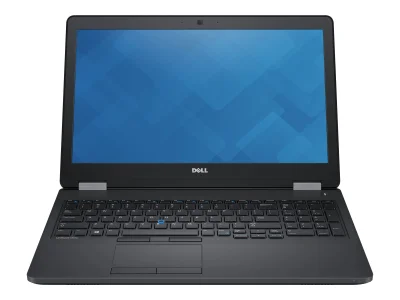
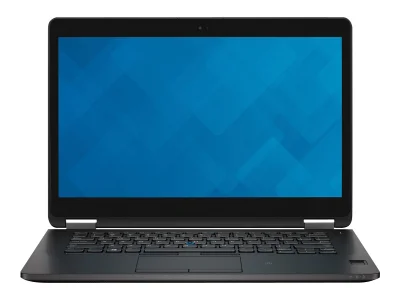
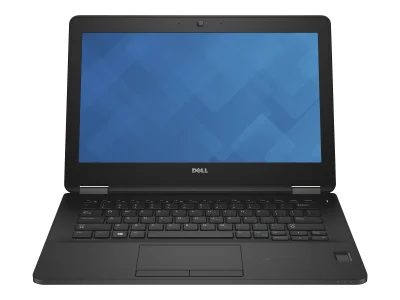
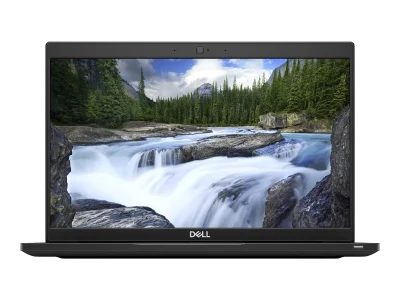
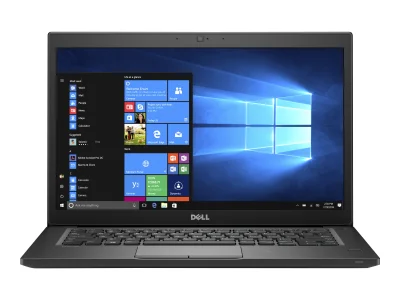
What to watch out for
- Weight up to 1.8 kg for daily carrying
- Check battery_capacity_wh ≥ 50
- Balance: i5/Ryzen 5 for documents and Zoom
- Too heavy models for daily carrying
- Batteries under 40 Wh
- Overspending on a workstation if not needed
The balance a student actually needs
A student laptop is not a gaming machine and not a heavy workstation — it is a balance of portability, battery life, and affordable price. The five examples in this guide, all Dell Latitude business models from 2015-2019 priced between $135 and $270, show what that balance looks like in the used market: a 7480 from 2016 at $135, an E7270 at $184, an E5570 at $194, an E7470 at $211, and a 7390 from 2019 at $270. Business-class stock is the natural hunting ground for students: it is built to survive daily carrying, and it has already taken the steepest part of its depreciation.
Weight: know the threshold before you carry it
The practical line for a machine that rides in a backpack every day is about 1.8 kg; past 2 kg, the load becomes a daily annoyance. The reference model of this set, the Latitude E5570, weighs 2.1 kg — honestly above that threshold, a desk-first machine rather than an all-day companion. It makes the trade-off explicit: at the same price, a smaller chassis in the same family trades screen area for carry comfort. Check the weight on each listing before choosing; within one model family the difference between a 12-inch-class and a 15-inch-class chassis is usually a kilogram or more.
Battery for a lecture day
Six or more hours of real autonomy covers a full day of lectures without hunting for outlets. The specification to check is battery capacity in watt-hours: 50 Wh usually delivers that figure. The E5570 carries a 62 Wh battery — comfortably above the line when new. One caveat specific to the used market: cells age, and a seven-year-old battery rated for 62 Wh will not hold its original charge. Budget for possible battery wear, or favor the newest machine your money allows — the 2019 Latitude 7390 at $270 has the youngest cells in this set by three years.
Performance that is simply enough
For documents, a browser with research tabs, and video calls, an Intel Core i5 or AMD Ryzen 5 is the comfortable level — and an i3 or Ryzen 3 remains workable when the budget is tight. This is the segment where spending more on the processor buys little that coursework can feel; spending it on RAM and an SSD instead buys responsiveness that is felt every single day. Eight gigabytes of memory is the comfortable minimum, sixteen is the ideal that rarely appears at student prices. The same logic applies across the whole set of examples: the differences that matter year-to-year are in memory configuration and storage type more than in raw CPU speed.
Price: entry cost and exit risk are both low
The student use case is exactly where a used machine makes the most financial sense. Entry into this class starts at $135, and the value curve past these years is flat — what a machine loses over the next two years of study is a small fraction of what was already lost by its first owner. For a laptop that will live in a backpack, be carried daily, and be replaced after graduation, minimizing the capital at risk is the rational play.
How the examples stack up
Within the set: the 7480 at $135 is the lightest hit on a student wallet; the E7270 and E5570 in the middle at $184 and $194; the E7470 at $211; and the 7390 at $270 as the newest platform with the freshest battery. Comparable machines in the same price neighborhood are listed below.
Bottom line
Buy the balance, not the spec sheet. A used business Latitude between $135 and $270 covers documents, calls, and research with headroom to spare; the decisive checks are weight against the 1.8 kg carry line, a 50 Wh-or-better battery with wear in mind, 8 GB of RAM, and an SSD. The five examples above show the class at its best — pick the newest one the budget stretches to.
🧭 Your context
Stage: Refining requirements
You're refining — compare finalists head-to-head.
⭐ What stands out
-
graphics performance is lower than typical whole catalog (+58.8%) (office tier).
below class average -
reliability is lower than typical whole catalog (+58%) (low tier).
budget segment of category -
mobility is lower than typical whole catalog (+52.1%) (low tier).
budget segment of category
🔁 Alternatives
Compromise axis: reliability ↔ price
🎮 What it can run
⚙️ Configuration analysis
Top configuration is built for office apps, web browsing, and basic daily tasks.
🤔 How to choose
Universal advice for any use case.
- Reliability vs price: reliability (median 50) ↔ price (median 385.1).
- Weight vs CPU: mobility (median 48) ↔ overall performance (median 49.9).
- Upgradeability vs battery: upgradability (median 50) ↔ battery life (median 2.8).
verdict
➡️ Next step
You're refining — compare finalists head-to-head.