How to choose a reliable laptop
How to choose a reliable laptop — tips and recommendations based on the Laptop.bid catalog.
Tips
-
1
Reliability is primarily build quality, chassis materials, and component headroom. Metal chassis, extra RAM slot, and replaceable SSD extend device lifespan.
-
2
Aim for aluminum or magnesium chassis — it holds shape better and dissipates heat. Plastic is acceptable in budget segment, but check hinge stiffness and absence of creaks.
-
3
Business-series laptops (chassis type "business") traditionally have more reliability headroom: better keyboards, proven platforms, longer driver support. CPU generation 8 is optimal.
-
4
RAM upgradeability is key. 8 GB with factory soldered and no expansion slot — is a laptop with limited future. Look for models with a SO-DIMM slot.
-
5
SSD is mandatory. Models with NVMe SSD are faster and have fewer failure points than HDD. A second M.2 slot is a longevity bonus.
-
6
Batteries with 50 Wh usually withstand 3-4 years of daily use before noticeable degradation. Check battery_capacity_wh in specs.
Example models
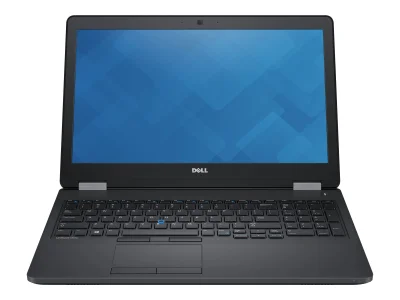
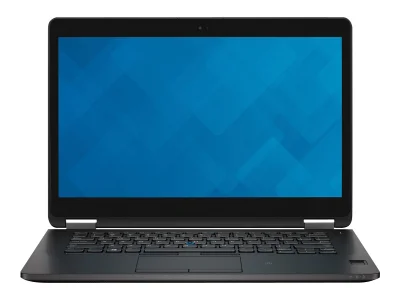
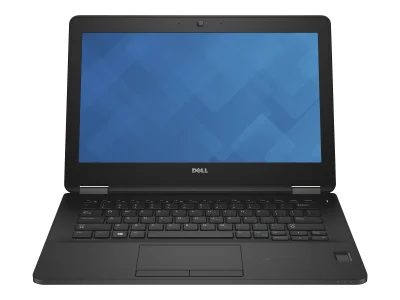
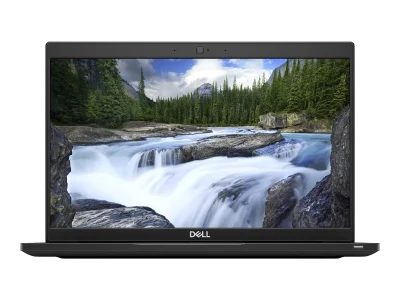
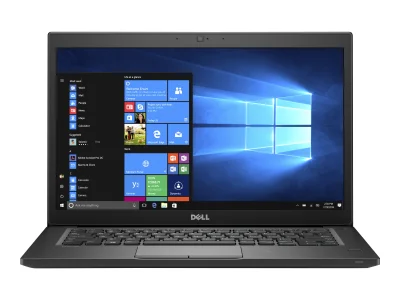
What to watch out for
- SSD over HDD — the speed difference is huge
- Presence of a RAM expansion slot
- Business series (chassis type "business") — better build
- Laptops with HDD as main drive
- Less than 8 GB RAM for work
- Laptops with no upgrade path
Where the Latitude E5570 stands
The Dell Latitude E5570 is a 2015 business-class laptop that has aged into the ultra-budget tier — roughly $194 today, well below the category median of $297. A decade of depreciation has stripped away its original $1,300 sticker, but the hardware underneath is more capable than its sub-$200 price suggests. The standout figure is its graphics performance: a GPU score of 13.9, which is more than three and a half times the category median of 3.8 — placing it firmly above what typical office laptops deliver.
Graphics: the unexpected strength
A GPU score of 13.9 in a 2015 business chassis means the E5570 handles graphics workloads that its office-laptop designation wouldn't imply. In practice, the machine runs older and moderately demanding game titles comfortably: it meets recommended settings for Overwatch, Grand Theft Auto V, and Rainbow Six Siege. For a laptop designed for office productivity, this is a genuine surplus — useful for GPU-accelerated tasks like video playback, light editing, and casual gaming after hours.
Mobility: the binding constraint
The trade-off for that graphics headroom is portability. The mobility index of 23 is 62% below the category median of 60, reflecting a heavier build, modest battery life, or both. This is not a laptop designed for all-day use away from an outlet. Buyers expecting to carry it between meetings or work from cafés will feel the weight. For a desk-bound workflow, however, the constraint is largely academic.
Price trajectory
The depreciation curve is well past its steepest phase. Starting at $1,300 in 2015, the laptop has lost roughly 85% of its value over eleven years — an annual rate of about 6.9%. The projected price two years out is approximately $169, representing a further 13% decline from today's level. Buyers concerned about residual value should note that the bulk of the depreciation has already happened; what remains is a slow, flat tail.
How it compares
In the sub-$220 refurbished business segment, the E5570 sits between two clusters. Slightly above it are the Dell Latitude 5490 at $212 and the Latitude 3580 at $214 — both newer but with comparable office-class graphics. Below sit the Latitude 5290 at $177 and the HP ProBook 455 G2 at $174 — cheaper, but typically weaker on the GPU axis where the E5570 distinguishes itself. The E5570's position is defined by that single axis: where most alternatives trade graphics for price or portability, it keeps a usable GPU surplus at a low absolute cost.
Bottom line
The Latitude E5570 is a 2015 business laptop whose graphics performance has outlived its office designation. At $194, it is priced below the category median and offers a GPU tier that most similarly-priced alternatives cannot match. The trade-off is mobility — this is a desk machine, not a travel companion. For buyers who need a cheap, capable secondary workstation that can also handle casual gaming or GPU-accelerated media tasks, it earns its asking price.
🧭 Your context
Stage: Refining requirements
You're refining — compare finalists head-to-head.
⭐ What stands out
-
reliability is lower than typical whole catalog (+58%) (low tier).
budget segment of category -
graphics performance is lower than typical whole catalog (+57.7%) (office tier).
below class average -
mobility is lower than typical whole catalog (+52.1%) (low tier).
budget segment of category
🔁 Alternatives
Compromise axis: reliability ↔ price
🎮 What it can run
⚙️ Configuration analysis
Top configuration is built for office apps, web browsing, and basic daily tasks.
🤔 How to choose
Universal advice for any use case.
- Reliability vs price: reliability (median 50) ↔ price (median 385.1).
- Weight vs CPU: mobility (median 48) ↔ overall performance (median 49.8).
- Upgradeability vs battery: upgradability (median 50) ↔ battery life (median 2.8).
verdict
➡️ Next step
You're refining — compare finalists head-to-head.