How to choose a budget laptop
How to choose a budget laptop — tips and recommendations based on the Laptop.bid catalog.
Tips
-
1
In the budget segment (under $200-300) the main thing is realistic expectations. Don't expect gaming performance or premium materials.
-
2
CPU should be at least Intel Core i3 / AMD Ryzen 3 generation 8+. Old Celeron/Pentium — only for browsing.
-
3
8 GB RAM — minimum for comfortable work. 4 GB is insufficient even for a browser with multiple tabs.
-
4
SSD is mandatory. HDD in 2024+ is a sluggishness that savings don't justify.
-
5
Check battery capacity in Wh. 40 Wh is the norm, less — count on constant charging.
Example models
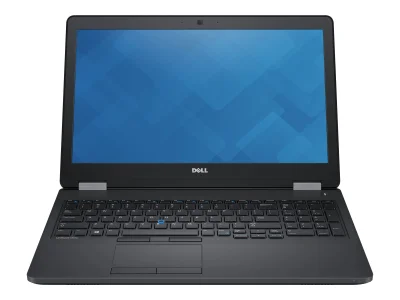
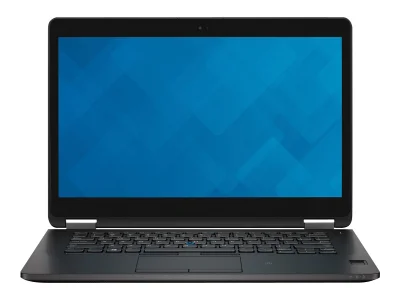
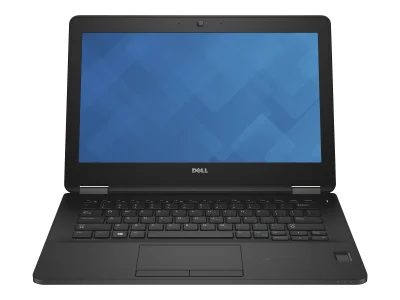
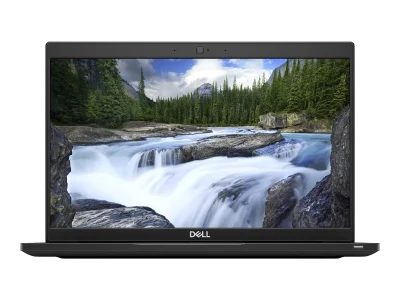
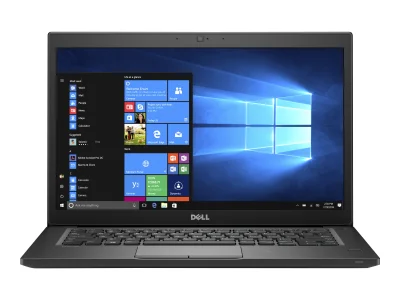
What to watch out for
- SSD over HDD — the speed difference is huge
- Presence of a RAM expansion slot
- Business series (chassis type "business") — better build
- Laptops with HDD as main drive
- Less than 8 GB RAM for work
- Laptops with no upgrade path
What $150-270 buys in 2026
The sweet spot of the used market is not the newest hardware — it is retired business stock. The five examples in this guide are all Dell Latitude machines from 2015-2019, priced between $135 and $270: a Latitude 7480 from 2016 at $135, an E7270 from 2015 at $184, an E5570 from 2015 at $194, an E7470 from 2015 at $211, and a 7390 from 2019 at $270. Corporate fleets are refreshed on schedule, which means three-to-eight-year-old machines arrive on the secondary market in large volumes, with the steepest part of their price fall already behind them. For a buyer with a fixed budget, that is the single best structural advantage available.
Realistic expectations set the ceiling
In this segment the goal is a dependable daily driver, not a gaming rig. The reference model of this set, the Latitude E5570, illustrates the point well: its graphics score of 13.9 is roughly three and a half times the typical business-class result, which means comfortable video playback, browser work with many tabs, and older or lightweight games — not modern AAA titles at high settings. That is the honest ceiling of the class. Trying to stretch a $200 budget toward "gaming performance" is the most common way buyers end up disappointed.
The checklist that matters at this price
Four checks filter out most bad listings. First, the processor: an Intel Core i3 or AMD Ryzen 3 of generation 8 or newer is the practical floor — older Celeron and Pentium chips are browsing-only today. Second, memory: 8 GB is the minimum for comfortable work, while 4 GB struggles even with a modest set of browser tabs. Third, storage: insist on an SSD; an HDD in 2024 or later is a sluggishness that the savings never justify. Fourth, the battery: look for 40 Wh or more, and treat anything smaller as a machine that lives next to an outlet. The example models above clear these bars in different combinations — the spec sheet on each listing shows exactly which.
Depreciation works for the buyer here
A used business laptop at this price has already absorbed the steepest part of its value curve. What remains is a slow, flat tail: the difference between what you pay today and what the machine is worth in two years is small in absolute terms. That is a very different risk profile from buying new, where the first year alone can erase a third of the value. For a budget purchase — a spare machine, a first laptop for a teenager, a cheap office terminal — the resale risk is close to irrelevant.
How the examples stack up
Within the five-model set the trade-offs are straightforward. The 7480 at $135 is the cheapest and a sensible default for pure browser-and-documents work. The E7270 and E5570 sit in the middle of the band at $184 and $194, trading blows on specs. The E7470 at $211 and the 7390 at $270 — the newest of the set, from 2019 — are the picks when a few extra dollars buy a meaningfully newer platform. Machines outside this set, in the same price neighborhood, are compared below.
Bottom line
A $150-270 budget in 2026 buys a retired business laptop that is more durable and better-built than most new machines at the same price. Hold the checklist — 8th-generation processor or better, 8 GB of RAM, an SSD, a 40 Wh battery — and pick the newest platform your budget allows. The five Latitude examples above are a representative sample of what the class delivers; the numbers speak for themselves.
🧭 Your context
Stage: Vague sense of need
Browse category overviews to narrow things down.
🎮 What it can run
⚙️ Configuration analysis
Top configuration is built for office apps, web browsing, and basic daily tasks.
🤔 How to choose
Universal advice for any use case.
- Reliability vs price: reliability (median 50) ↔ price (median 385.1).
- Weight vs CPU: mobility (median 48) ↔ overall performance (median 49.9).
- Upgradeability vs battery: upgradability (median 50) ↔ battery life (median 2.8).
verdict
➡️ Next step
Browse category overviews to narrow things down.